
iReading Room · Note-taking
Read it once. Find it forever.
Select any passage in a paper. Write what you think. The note anchors to that exact text. Tagged and searchable, the day you need it.
3.2 Routing under a fixed token budget
We evaluate three routing policies against a fixed retrieval budget, holding the encoder frozen throughout. Each policy is scored on recall at k and on the wall-clock cost of a single query.
Performance degrades gracefully as context grows, but only while the router remains selective. Beyond roughly sixty-four thousand tokens the gain from additional context is indistinguishable from noise, and the dominant cost becomes routing, not attention. We therefore treat the budget itself as the object of study rather than as a hyper-parameter to be tuned away.
“Beyond roughly sixty-four thousand tokens the gain from additional context is indistinguishable from noise…”
This is the number our retrieval budget should be sized against. Check it against the long-context eval before we commit to the rewrite.
“…holding the encoder frozen throughout.”
Frozen encoder makes the ablation cheap but weakens the claim. Worth an afternoon to reproduce.
Whole-paper note: closest prior art to the routing layer we sketched in March.
Step 01 · Capture
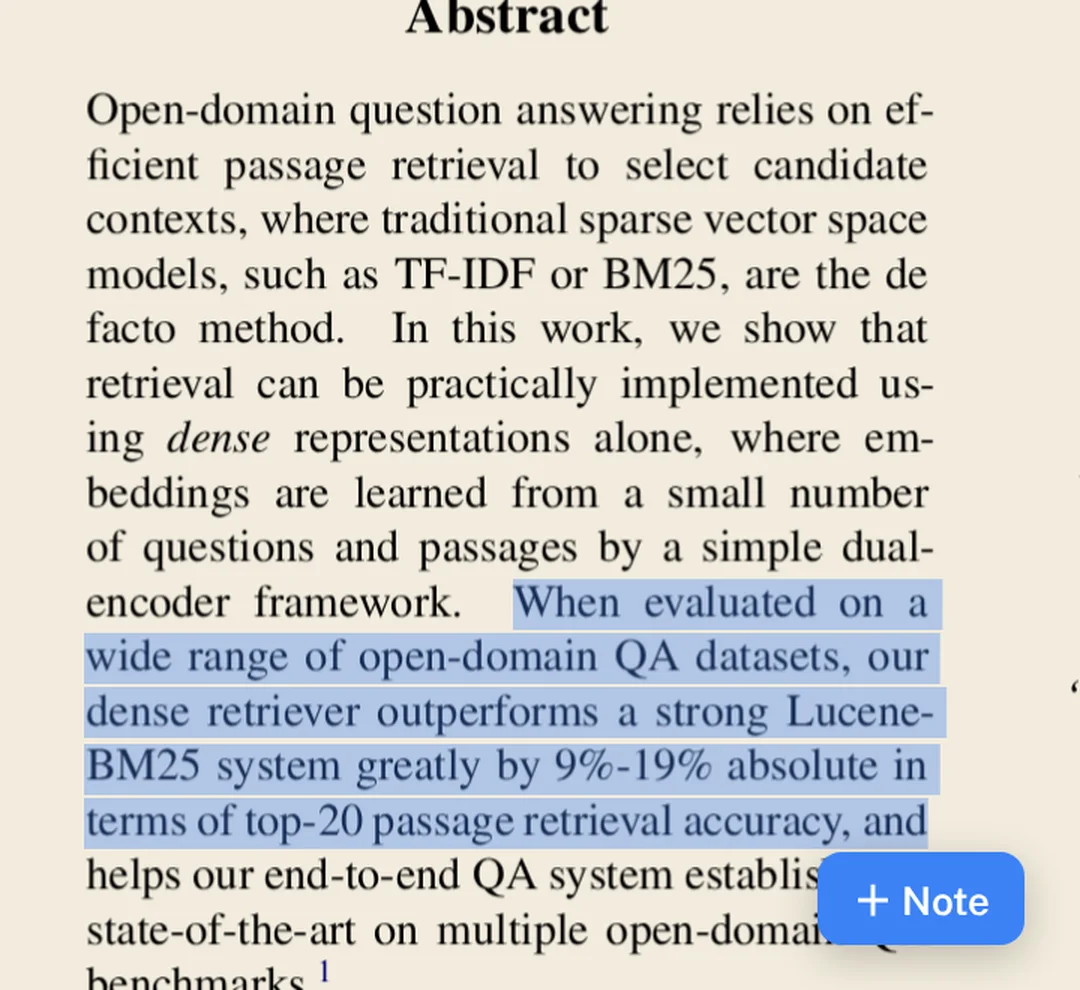
Select the sentence. The note sticks to it
Drag across any line in the paper. Write what you actually thought. The note keeps the quote and the exact spot on the page. It lands back on those words every time you open it.
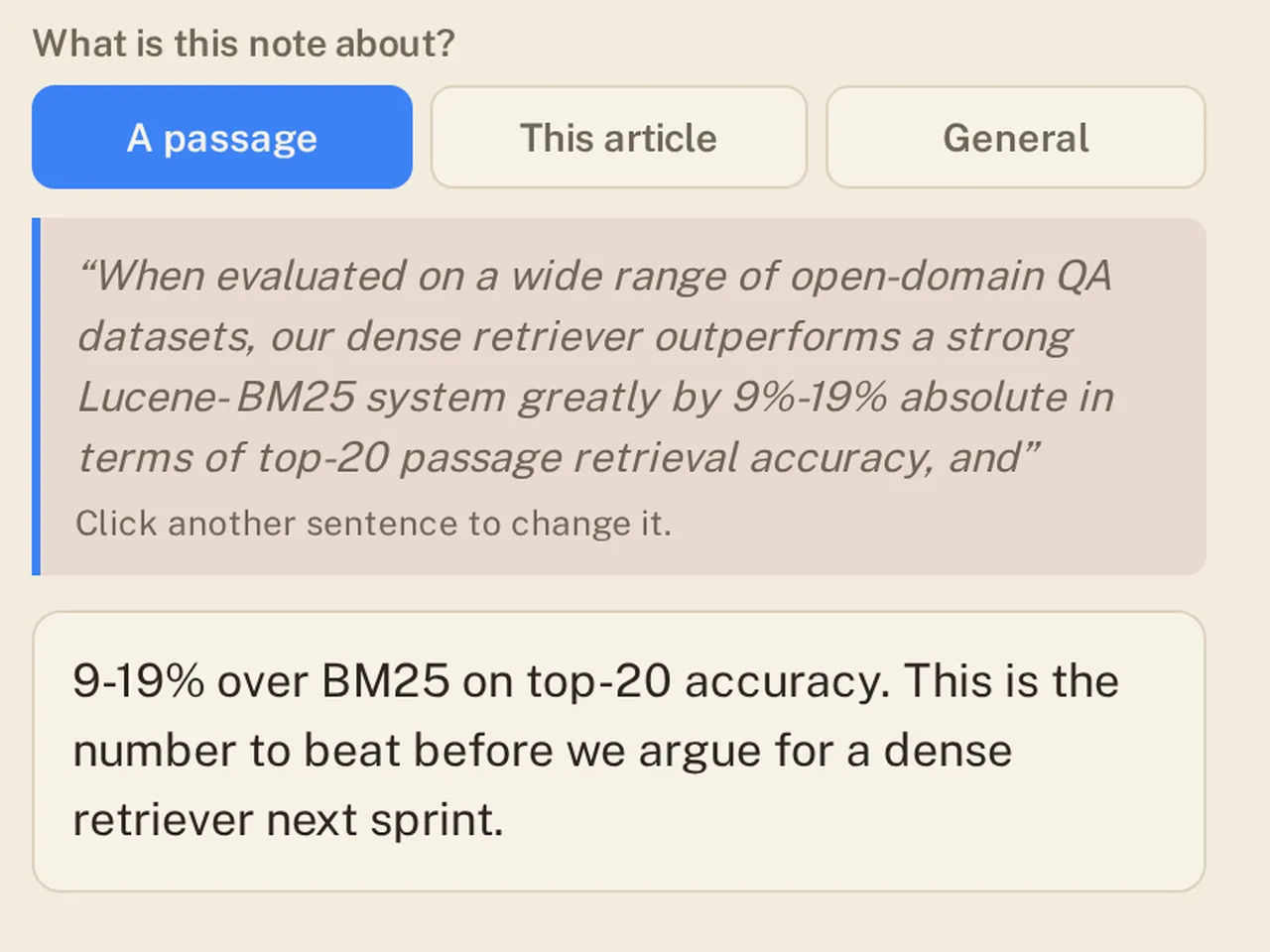
A passage
Pinned to the words you selected, on the page you selected them.
This article
For the verdict on the whole paper. Worth an afternoon, or not.
General
For the thought that belongs to your work, not to any one paper.
Step 02 · Organize
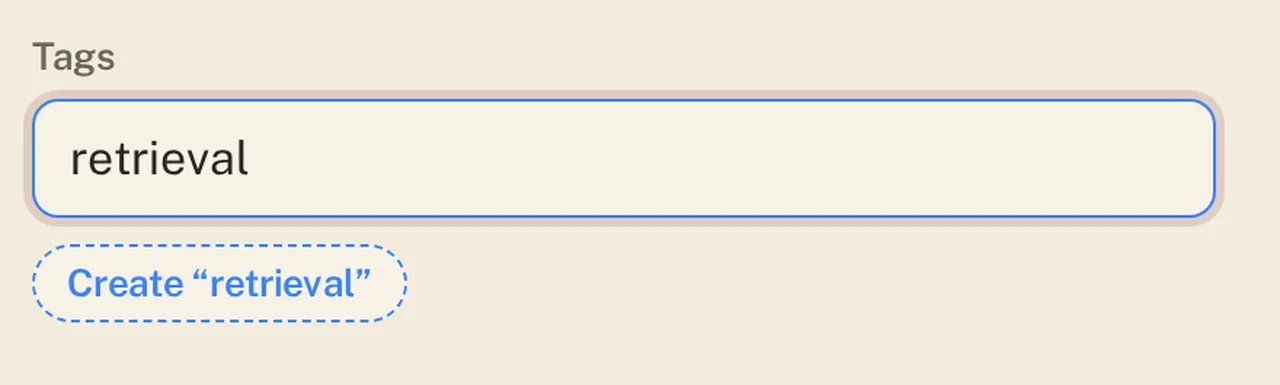
Tag it in the same breath
One tag, or five. Type a word that does not exist yet and it exists now
one click
The same tags can go on your papers and on your notes
Step 03 · Connect
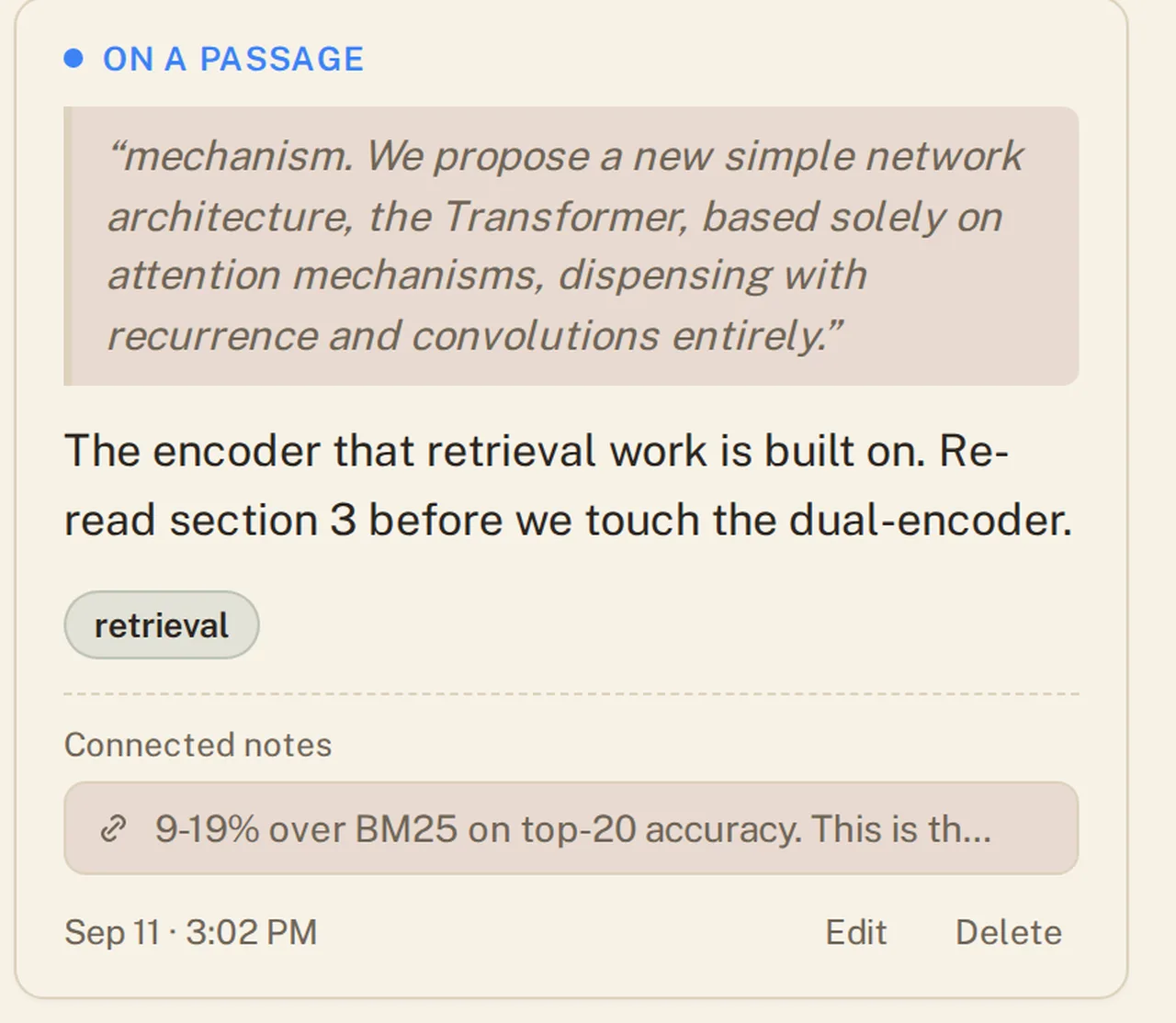
One note pulls up the next
Link a note to any other note you have taken; in this paper, or in one you before
1. Search
2. Click and done
Two labs agreeing. A result that contradicts the one you kept. The argument stops living in your head and starts living in your library.
And every note is a way back in. Open one and you land on the exact passage it came from right page, right sentence, already highlighted.
Step 04 · Find
Six months later, one search
Search your notes and your papers together, in one box. You do not have to remember which paper it was in that is the whole point.
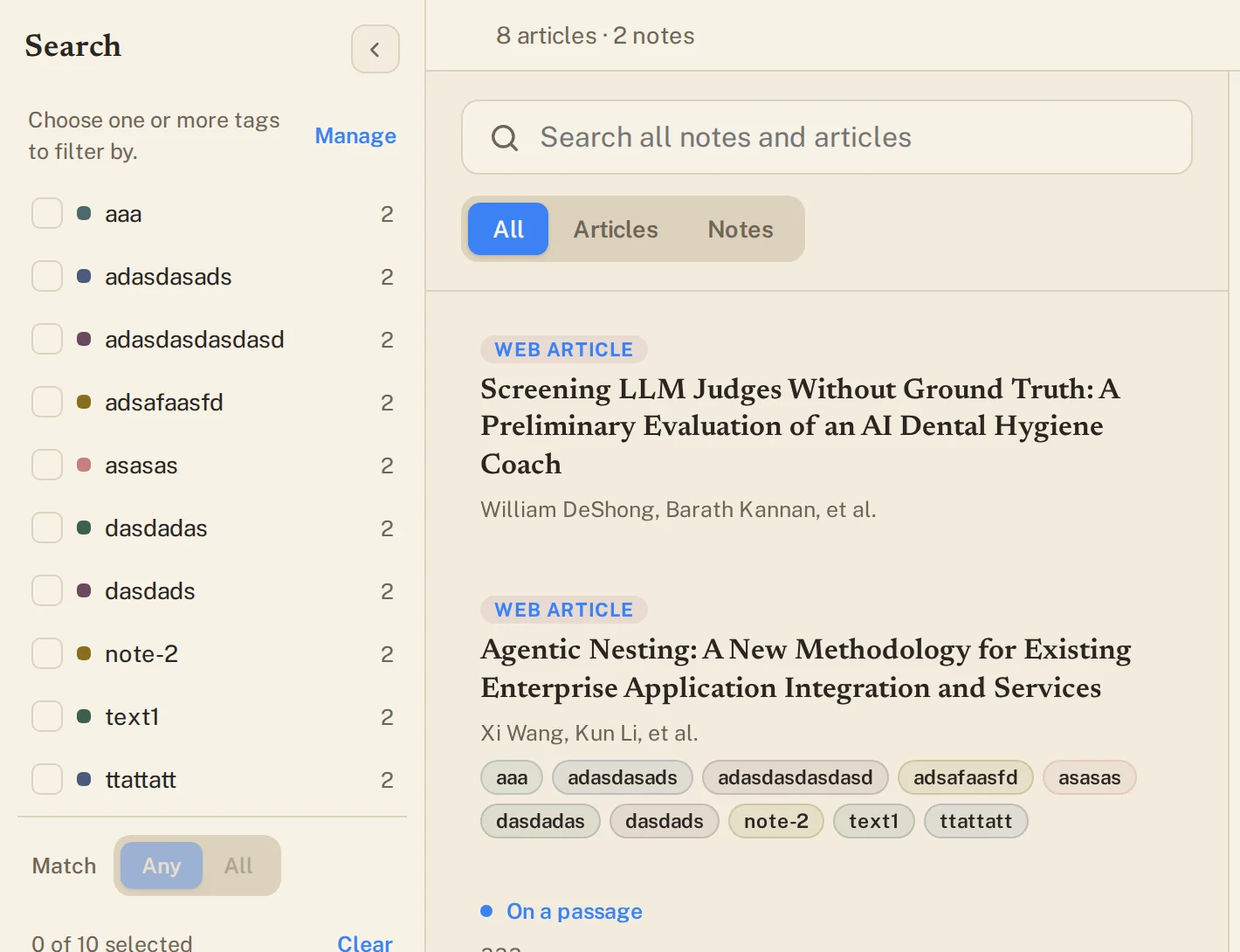
Or filter by tag. Pick one, or several, and choose whether a result has to match any of them or all of them. Notes and papers come back side by side.
Or just pick up where you left off.
Sort by what you touched last, or by what you added last. The paper you were arguing with on Friday is still at the top on Monday.

Stop re-reading papers you already understood
Your notes are yours, exportable, and anchored to the page they came from.